 Acolyte
Unofficial · Open source · In testing
Your HolyArrs server, on every screen.
Acolyte is an independent app for iPhone, Android, Apple TV and Android TV. It talks straight to the HolyArrs server you host yourself: browse, search, ask for titles, follow downloads and look after your server. No cloud in between, no account with us.
Acolyte is in testing and not in the App Store or Google Play yet. You need your own HolyArrs server; Acolyte is only the app, it does not include one.
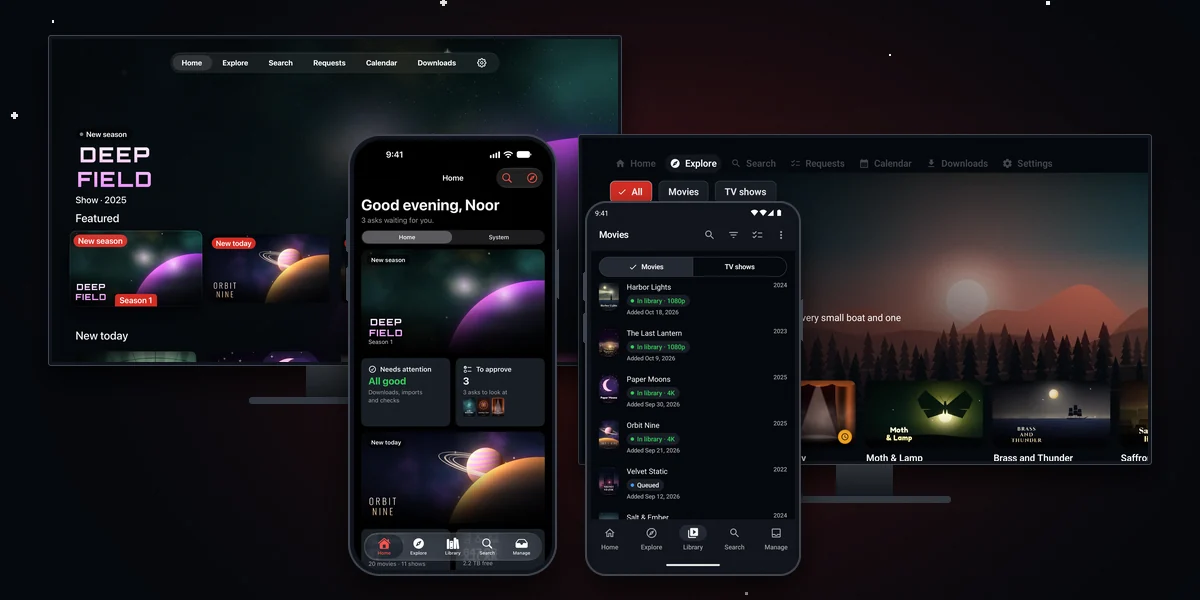
- 4 platformsiPhone, Android, Apple TV, Android TV
- 2 languagesEnglish and German
- MIT licenceFree and open source
- No trackingNo analytics, no ads
Screenshots
See it before you install it.
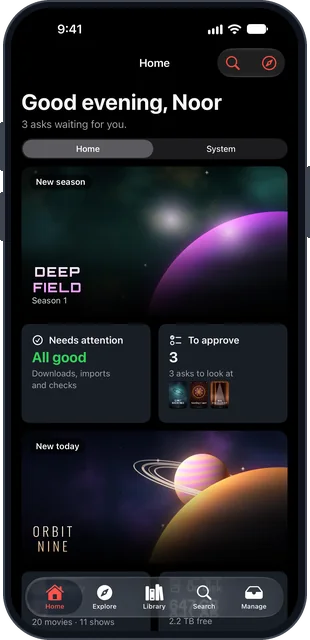
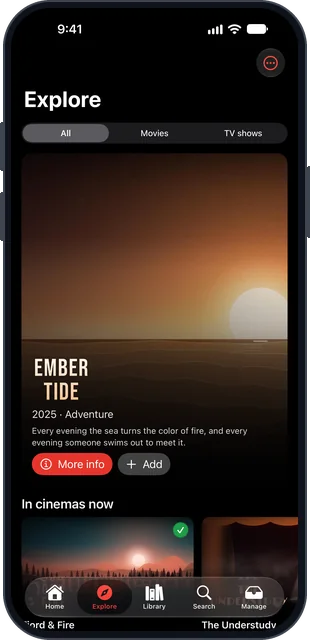
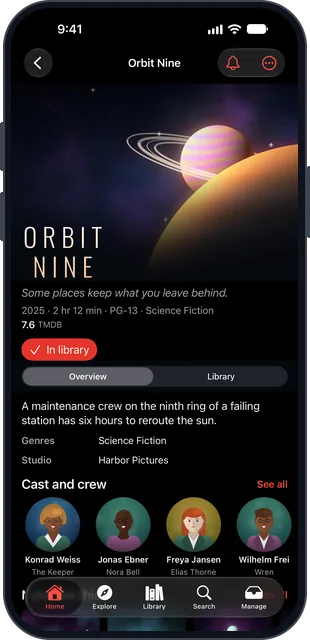
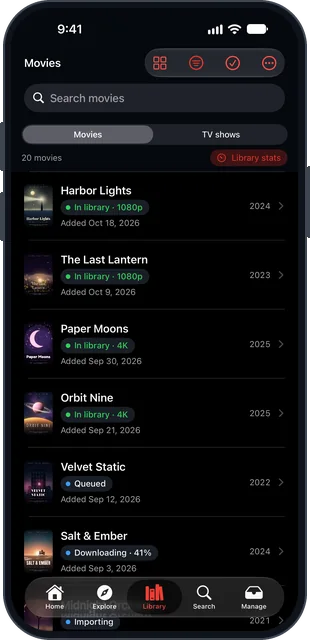
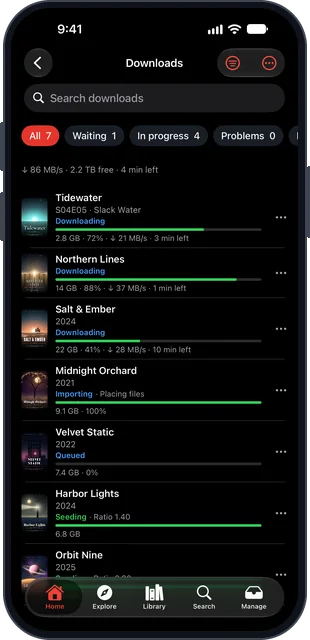
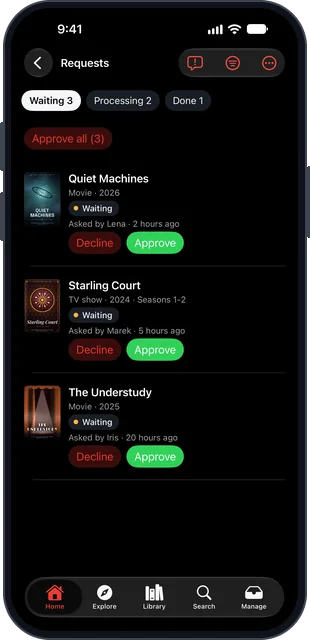
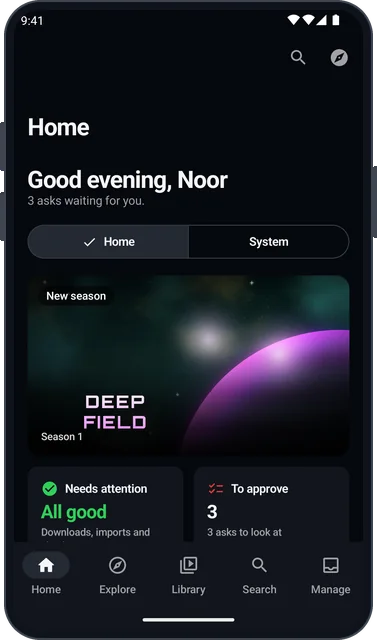
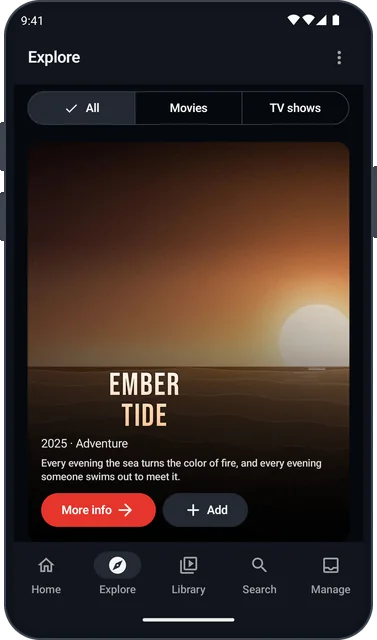
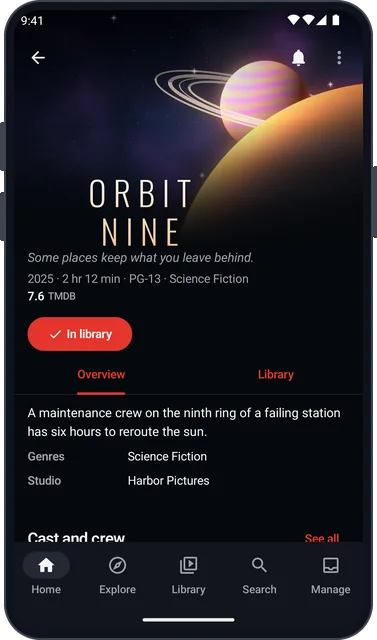
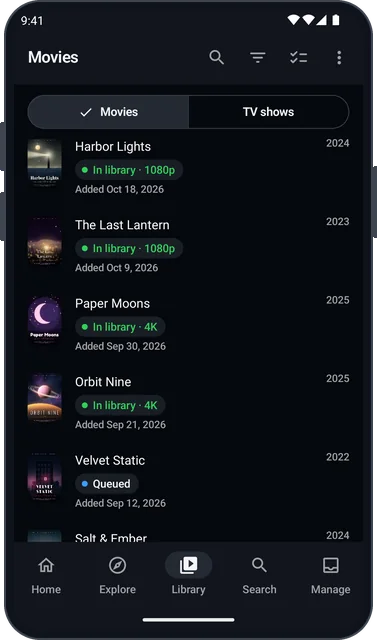
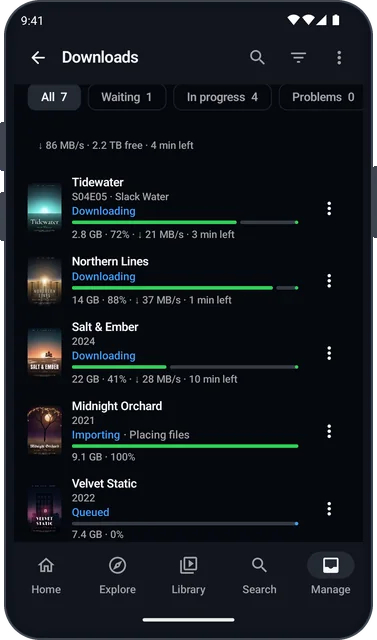
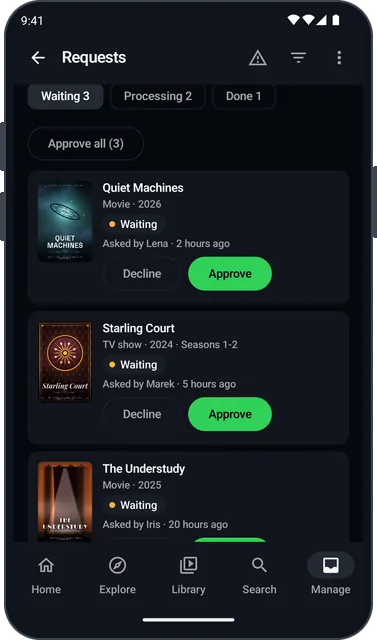
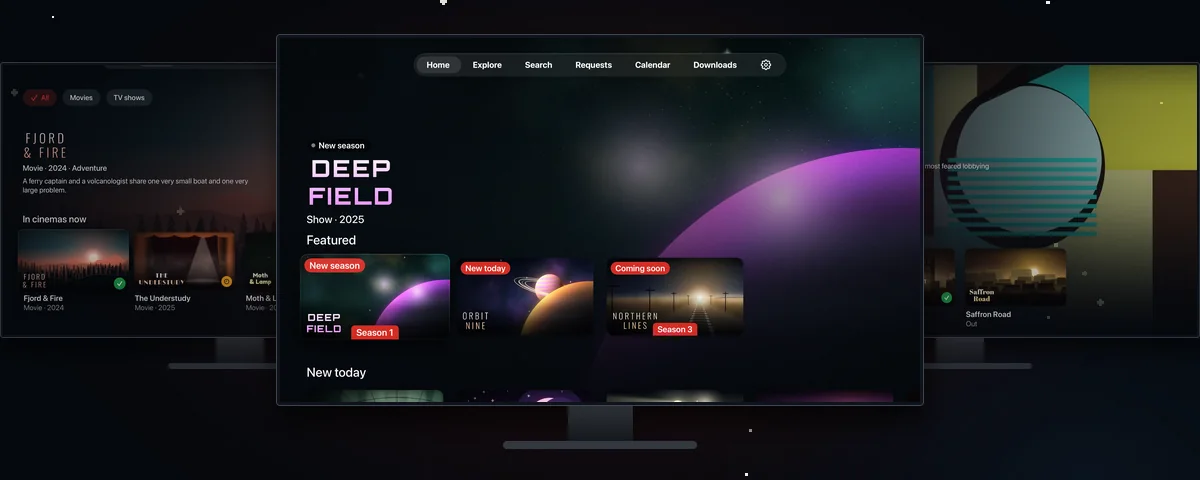
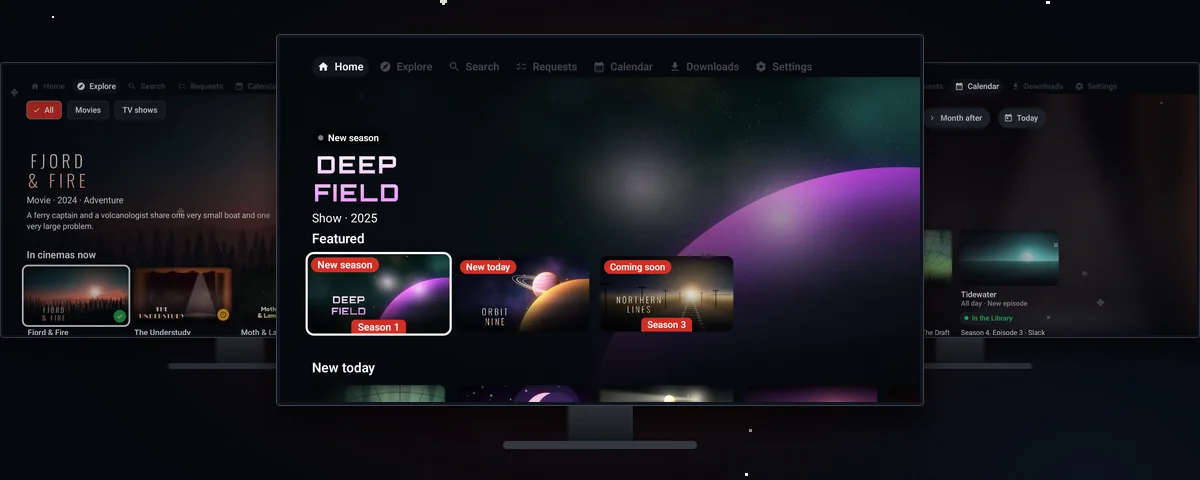
Dark mode on all four platforms, with invented demo titles. The apps follow your system, so the phones have a light side too.
iPhone
iOS 18 or newer. The full app, including the manager tools.
Android
Android 8.0 or newer. The full app, including the manager tools.
Apple TV
tvOS 18 or newer. Made for the remote and the couch; server management stays on the phone.
Android TV
Android TV and Google TV. The same screens as Apple TV, driven by the D-pad.
What it does
The HolyArrs web app, laid out for your hand and your couch.
Acolyte follows the HolyArrs layout. What you see depends on your account and on which parts your server has switched on: managers get everything, everyone else gets browsing and requests.
-
Home and Explore
Pick up where you left off, see what is new and popular, and browse by genre, cast member or collection.
-
Search
Search your library and beyond, or limit the results to what you already own.
-
Library
Movies, shows and music with filters you can save. Title pages bring seasons, episodes, cast and trailers.
-
Requests
Ask for a movie or a show in a few taps and follow its status. Approvers can answer requests too.
-
Downloads and calendar
Watch the queue, add links and files, and see what is due on a calendar.
-
Music
Artists, albums and new releases, right next to your films and shows.
-
Live updates
Screens refresh on their own while you look at them, using the live feed your server offers.
-
Manage your server
For managers: users and roles, status and health checks, and more than 25 settings pages, from library folders and downloaders to alerts, backups and logs.
Android and iPhone -
Careful sign-in
HolyArrs password with two-factor, Jellyfin, Emby, Plex (not on the TV apps) or an API key. Secrets are kept in the Android Keystore or the Apple Keychain.
Platforms
One app, four places to use it.
All logic is shared between the platforms, so a feature behaves the same everywhere. Each app is written natively for its system and follows its light and dark setting.
-
Android
Android 8.0 or newer, built with Jetpack Compose and Material 3.
Test builds on GitHub -
iPhone
iOS 18 or newer, built with SwiftUI.
TestFlight beta, opens after review -
Apple TV
tvOS 18 or newer. Home, Explore, Search, Calendar, Downloads, Requests and Settings, with title pages and trailers. Server management stays on the phone.
TestFlight, internal testing -
Android TV
Android TV and Google TV (Android 8.0 or newer). The same screens as Apple TV with Compose for TV, no server management.
APK on GitHub
Your server, your data
Straight from your device to your server.
Acolyte has no backend of its own. It connects to the address you type in and to nothing in between. A few optional extras, such as trailers and some pictures, can reach other sites; the privacy policy lists every one of them.
Get it
Pick your platform.
Acolyte is in testing. These are the ways to try it today, and what comes next.
-
iPhone
TestFlight public beta
TestFlightOpens once Apple has reviewed the first build, which is in their queue.
-
Android
APK from GitHub
Download acolyte-<version>.apkSideload it on any phone or tablet with Android 8.0 or newer. Or use the closed beta on Google Play: join the acolyte-test group, then become a tester.
-
Apple TV
TestFlight
ComingIn internal testing. It will join the same TestFlight link as the iPhone version.
-
Android TV
APK from GitHub
Download acolyte-tv-<version>.apkSideload it onto Android TV or Google TV (see the README for the steps). Google Play for TV: coming.
The TV apps have not been tried on a real television yet; so far they have run on the Apple TV simulator and an Android TV emulator.
Getting started
Three steps.
Once you have a server, connecting takes a minute.
-
Run HolyArrs
Set up your own server. The HolyArrs project explains how.
-
Enter the address
Type it the way you open HolyArrs in a browser, for example
192.168.1.10:6262ormedia.example.com. -
Sign in
Use the account you already have on the server. The support page covers the usual snags.
Open source
Read it, check it, improve it.
Acolyte is free software under the MIT licence. Kotlin Multiplatform holds the shared logic, Jetpack Compose and SwiftUI draw the screens. Bug reports and pull requests are welcome.
View on GitHubPrivacy and help
Plain answers.
The developer receives no data from the app. The privacy policy says what is kept on your device and which sites the app can reach. The support page has the FAQ and the place to ask for help.
Acolyte is an independent project. It is not made, endorsed or supported by HolyArrs. Please do not ask the HolyArrs project about problems with the app; ask here instead.